
Hood Warfare 2 • Aimbot • Settings
Hood Warfare 2 Aimbot: FOV & Smoothing Guide
Published 13 Oct 2026 · Updated 14 Oct 2026
The HW2 aimbot separates activation, targeting, smoothing and FOV controls. Start by verifying the main aimbot switch and aim key, then choose a target-selection rule before adjusting Basic or Advanced smoothing.
What to check first
- Confirm the main aimbot switch and aim key binding.
- Choose a target-priority rule and target bone.
- Set the targeting FOV circle and ADS multiplier separately from camera FOV.
- Begin with a Basic smoothing profile before editing Advanced curves.
- Save a named profile once the setup feels right.
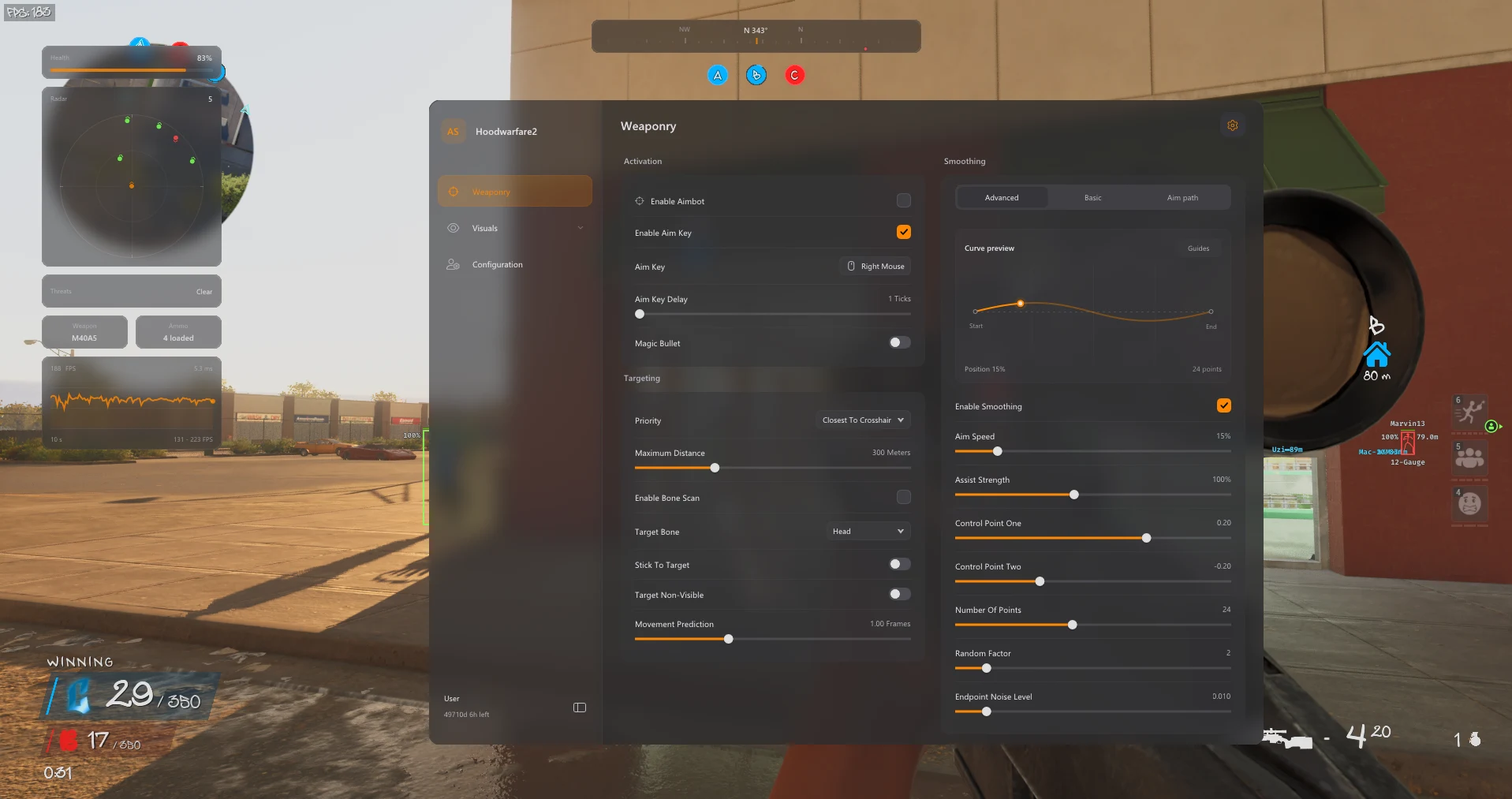
Weaponry & Aimbot Menu
Activation, targeting, delay, bone scan and advanced smoothing. Legacy screenshot shown; Magic Bullet was removed on 14 Oct 2026.
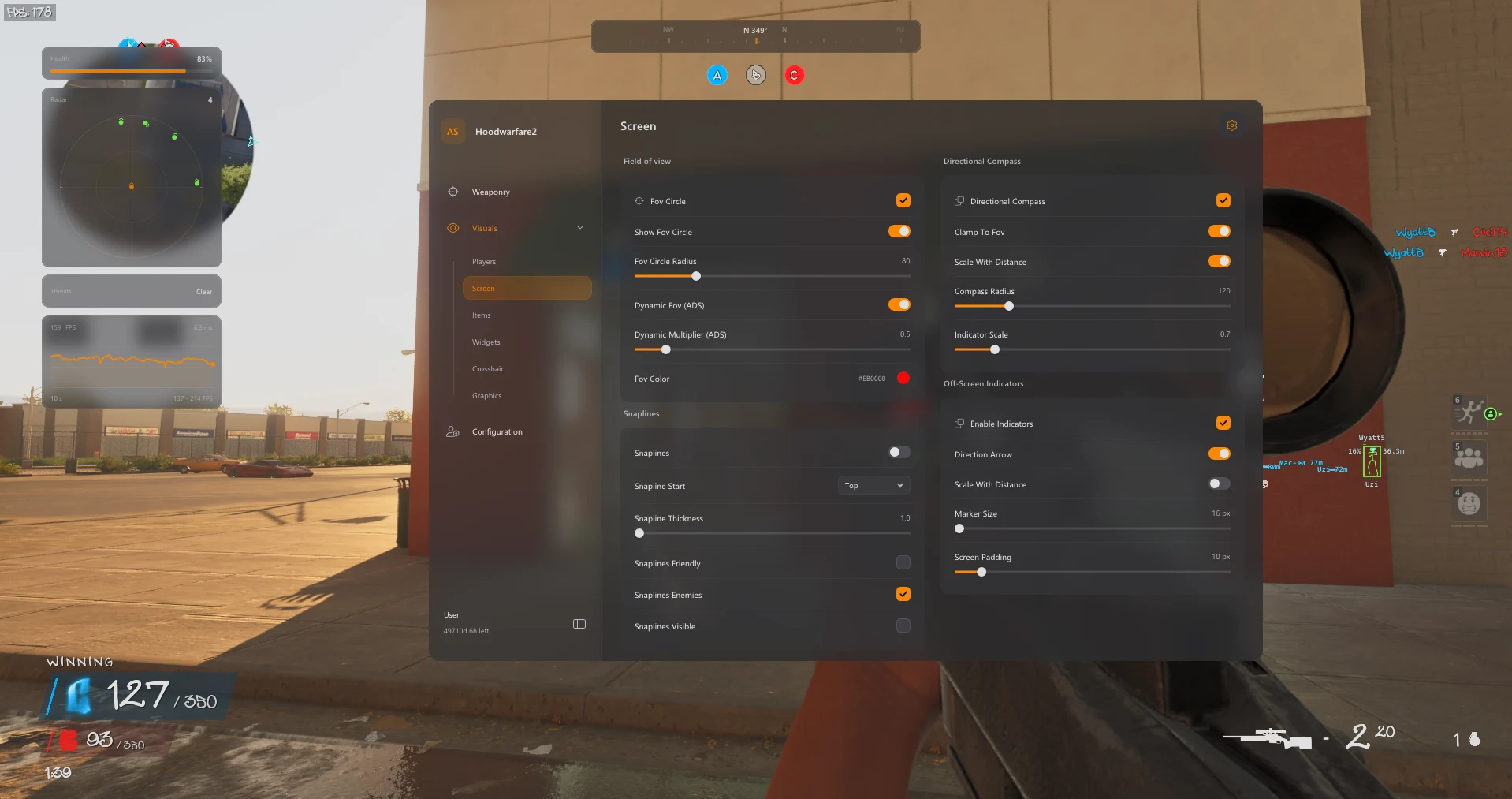
Screen FOV & Compass
Targeting FOV, ADS scaling, directional compass and off-screen indicators.
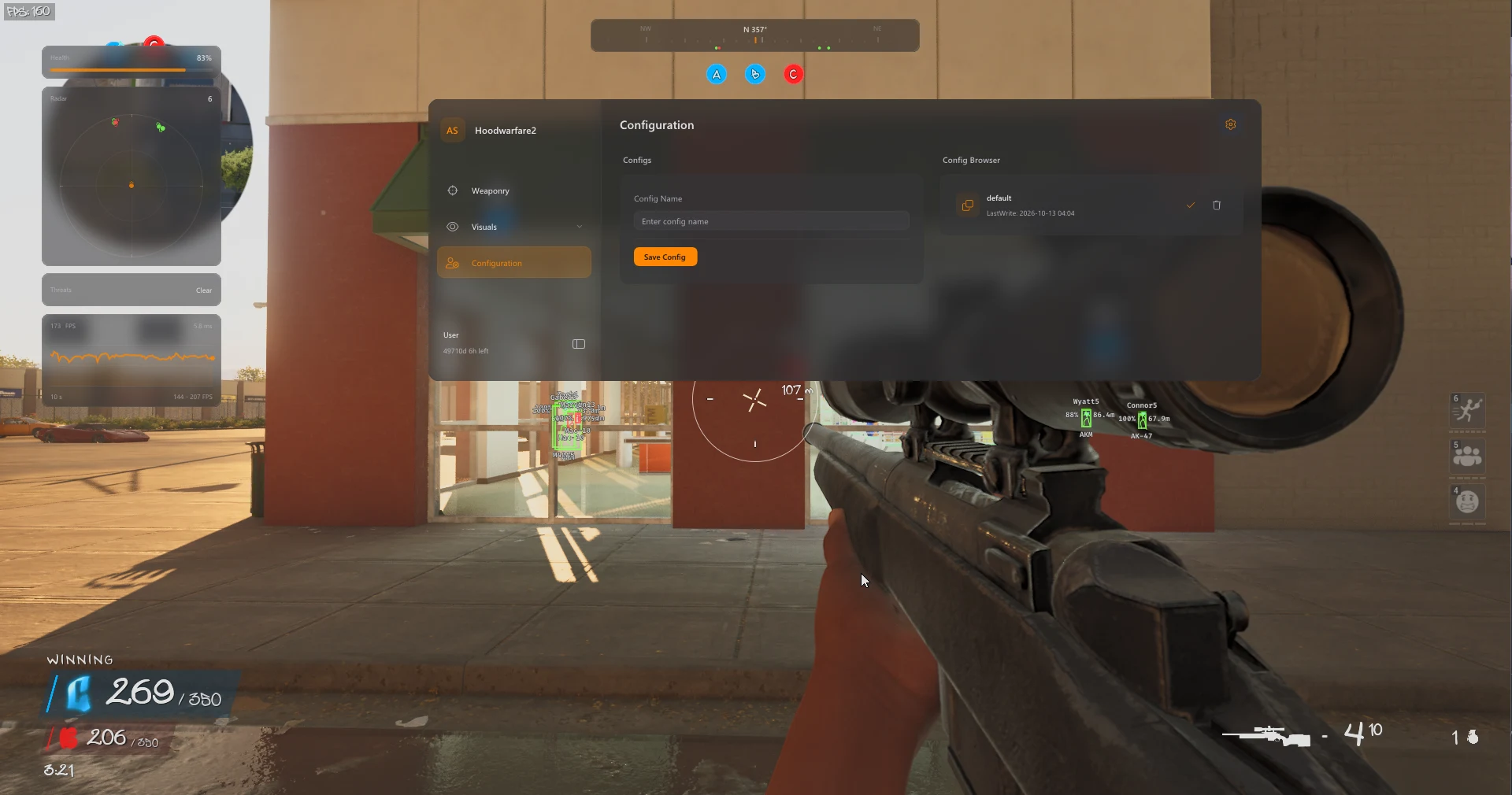
Configuration Profiles
Save and load named profiles to preserve working aim, ESP and HUD layouts.
Legacy screenshot notice: a historical Magic Bullet toggle appears in one interface screenshot, but the feature was removed on 14 Oct 2026 and is no longer advertised as available.
Target selection modes
Five priority modes are documented: Closest To Crosshair, Closest To Bone, Closest Distance, Lowest Health and Smallest FOV. Target Bone, Bone Scan, Stick To Target and Maximum Distance affect how eligible targets are determined.
Basic vs Advanced smoothing
Basic offers Smooth, Balanced and Aggressive presets and strength controls. Advanced exposes aim speed, assist strength, Bezier control points, number of points, random factor and endpoint noise. Change one parameter at a time; the aim-path visualizer and curve preview help interpret adjustments.
Target FOV vs camera FOV
The targeting FOV circle and ADS multiplier belong to screen controls. The camera FOV override belongs to graphics settings and changes the viewing angle, not the aim selection radius.
Does Humanized mean undetected?
No. Humanized is the name of a smoothing control, not a safety or detection guarantee.