Hood Warfare 2 • Setup • Install
Hood Warfare 2 Setup Guide
Download, install & configure
Recommended setup flow
- Purchase the duration you want from the live product page.
- Check the current status page for compatibility notes.
- Follow the delivery instructions provided after checkout.
- Create a baseline configuration profile before changing multiple settings.
- Test visuals, FOV and widgets one group at a time.
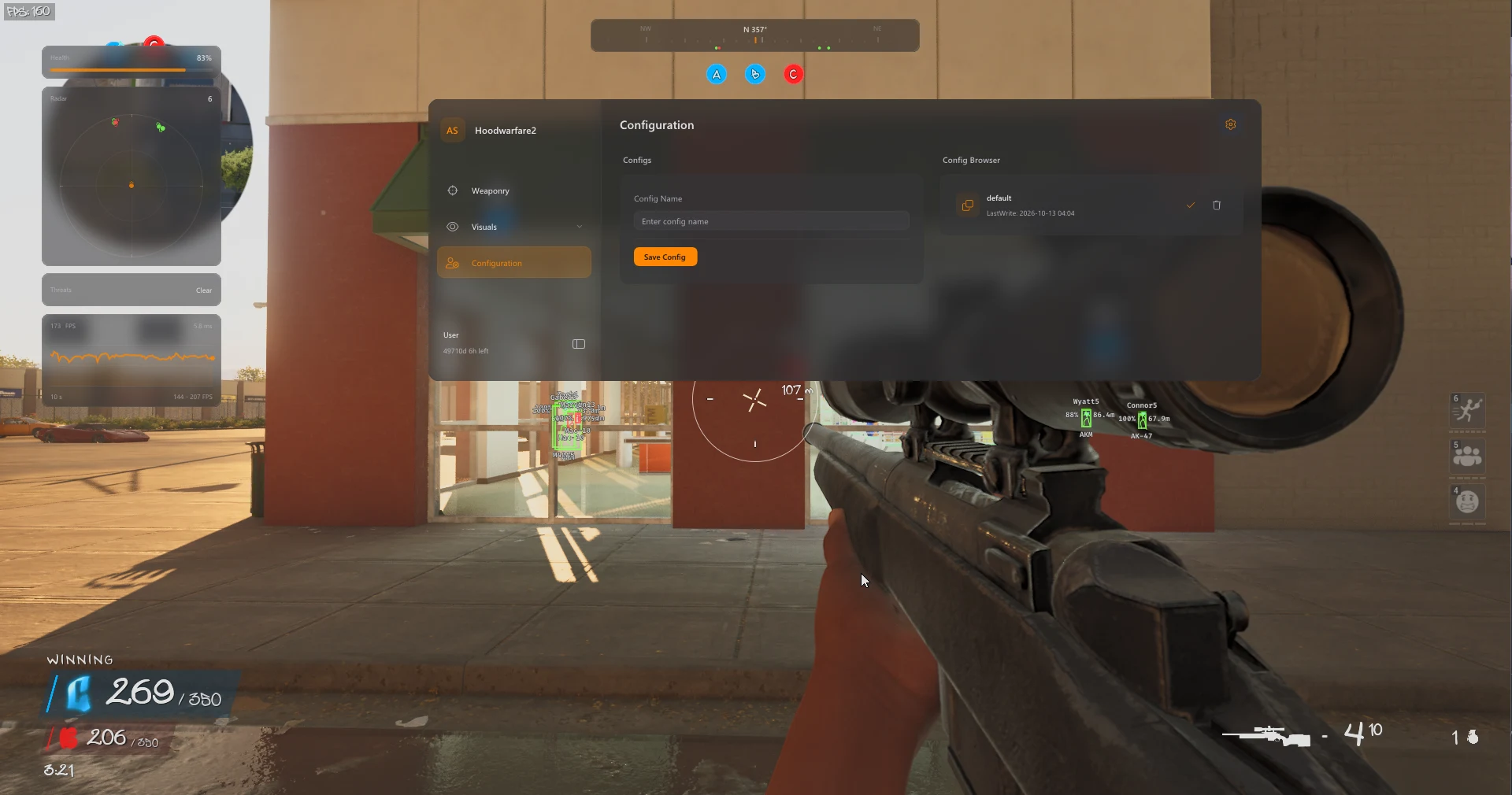
Configuration Profiles
Save and load named profiles to preserve working aim, ESP and HUD layouts.
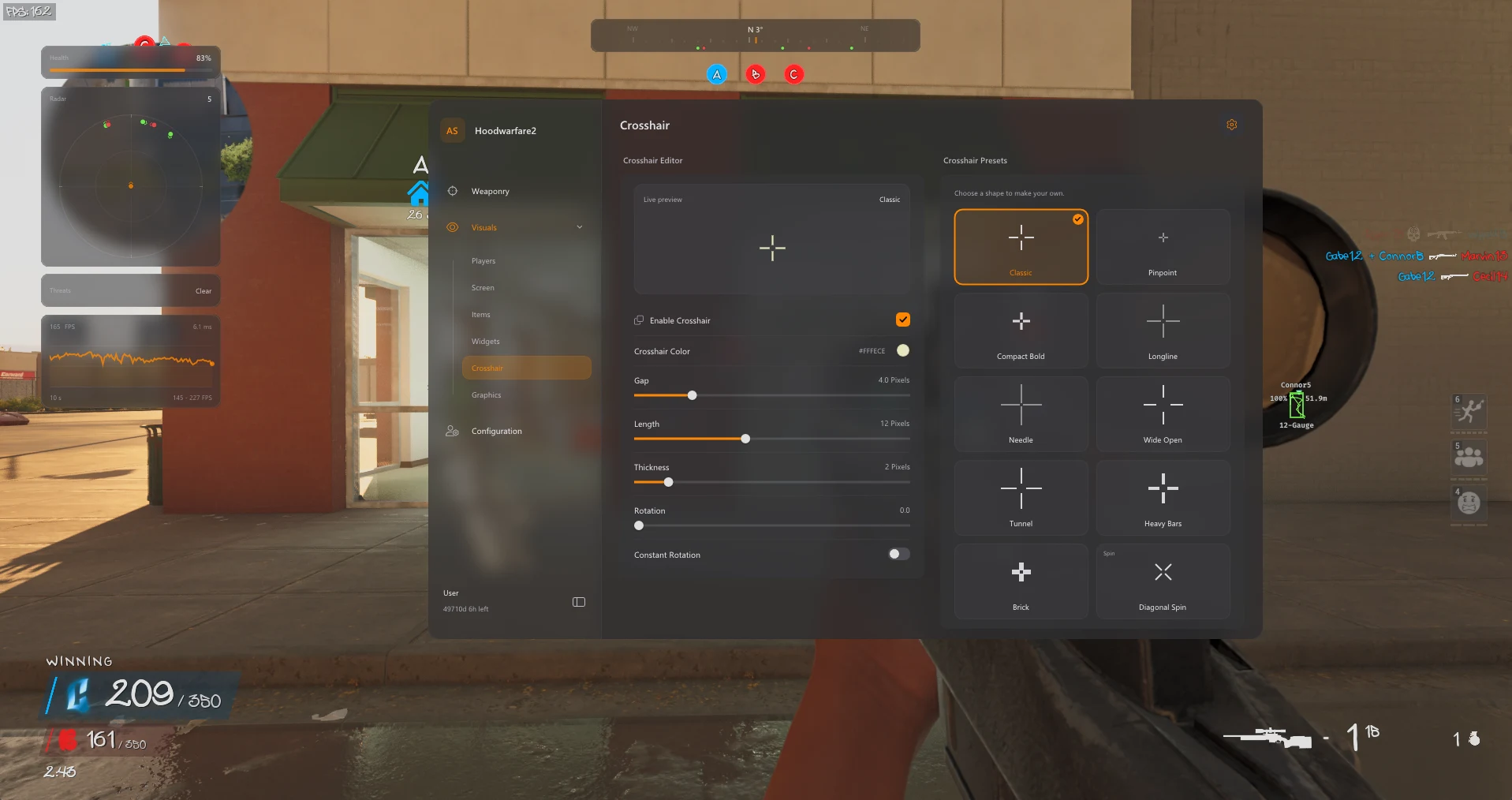
Crosshair Editor
Presets plus colour, length, thickness and rotation controls.
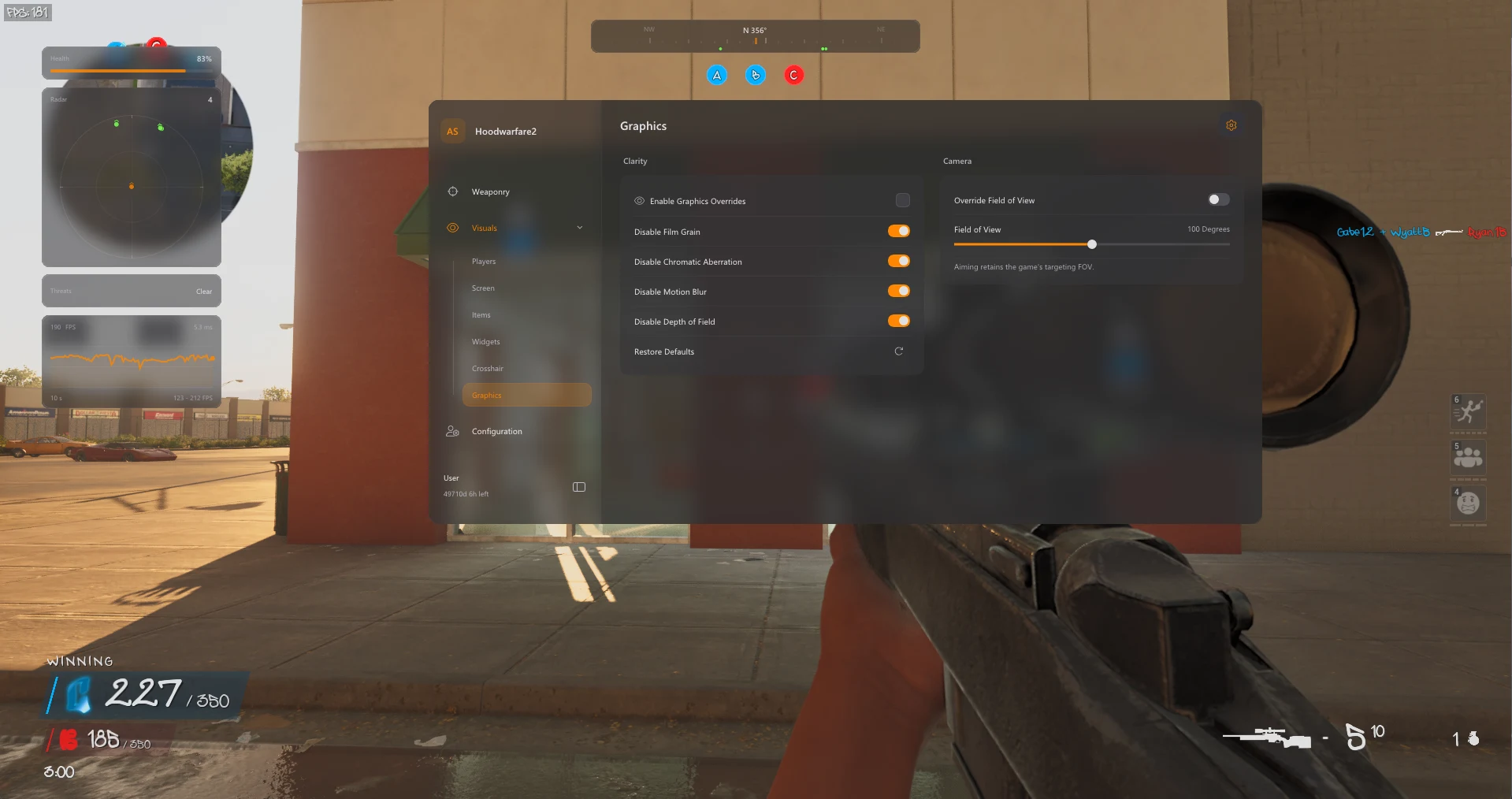
Graphics Controls
Film grain, chromatic aberration, motion blur, depth of field and camera FOV overrides.
Understand the interface before changing controls
The software is organized into Weaponry, Visuals and Configuration. Visuals contains Players, Screen, Items, Widgets, Crosshair and Graphics sections. Save a named baseline configuration before editing numerous settings.
Common checks
If a visual element is absent, verify that its individual menu option is enabled and that distance and visibility filters include the current situation. For crosshair issues check presets, color and dimensions. For FOV questions distinguish targeting FOV from camera FOV.
Support contact
For installation-specific delivery instructions or license questions, use Telegram @mrmalduit. Do not send account passwords.